Copy colors between charts
 | Use Color > Colorway Editor to modify existing charts. |
|---|
Copy colors between charts to create your own charts from existing threads.
To copy colors between charts...
- Select Setup > Manage Thread Charts. Alternatively, click the Select Thread Charts button in the Colorway Editor and click Manage.
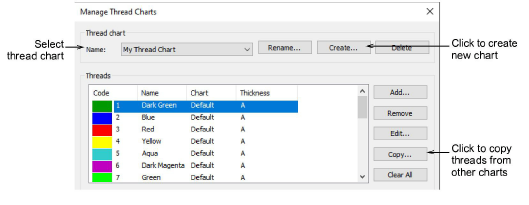
Create a new chart or open an existing one from the Name list.
Click Copy. The Copy Thread Chart dialog opens.
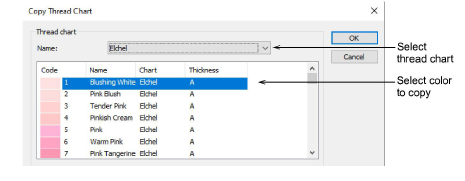
Select the source chart from the Name list.
Select the color/s you want to copy. Use Ctrl or Shift keys to copy a group or range of colors.
Click OK. All colors are copied to the new chart.