Use objects as carving stamps
 | Use Docker > Carving Stamp to define a pattern of needle penetrations using a ‘carving stamp’ as a template. |
|---|
The Use Object tab allows you to select object outlines from the design window and apply them directly as stamps or save them to a library for future reference. You can use vector or embroidery objects as a basis for stamps.
To use an object as a carving stamp...
- Choose an embroidery object or vector object to serve as your stamp.

- Click the Carving Stamp icon and select the Use Object tab.
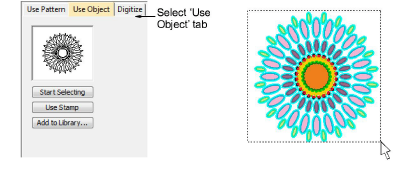
Click the Start Selecting button. Any pre-selected objects remain selected.
Hover the mouse over any object in the design window.
Click the Use Stamp button to apply the selection as a carving stamp.
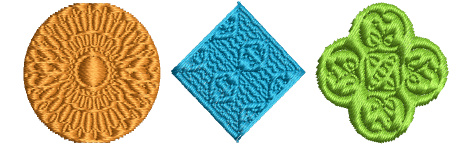
- Optionally, click the Add to Library button to add the selection to the library for future reference.
TIP
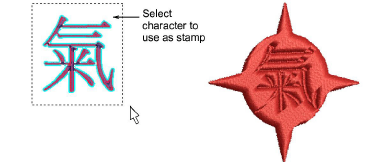
You can also use lettering, embroidery or TrueType, as an input to stamp creation.
TIP
If you want to use a bitmap image, you can convert to vector format in CorelDRAW Graphics using the Bitmaps > Outline Trace command set.