Test the font
 | Use Toolbox > Lettering to add lettering directly on screen. |
|---|
Again test your custom font via Object Properties > Lettering. Choose your custom font from the dropdown menu.
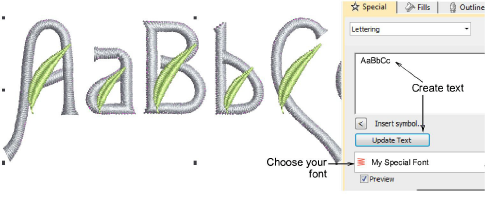
Notice that the lettering object preserves the ‘as digitized’ color changes within each letter. Use the Break Apart command to resequence like-color objects in the Color-Object List so they stitch out together.
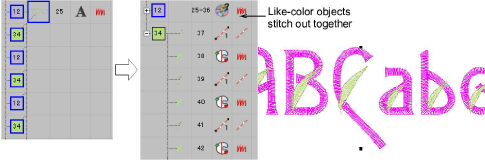
TIP
Compare your design with the sample ‘My Special Font.EMB’ included in the Projects > Custom Fonts folder.