Save current properties to a template
 | Use Docker > Object Properties to preset properties or adjust properties of selected objects. |
|---|
You can easily save current settings to the current template.
To save current properties to a template...
- To use the current property settings, deselect all objects, then click the Object Properties icon.
- To use the settings of a favorite style, click the button with no objects selected.
- Open the Object Properties docker.
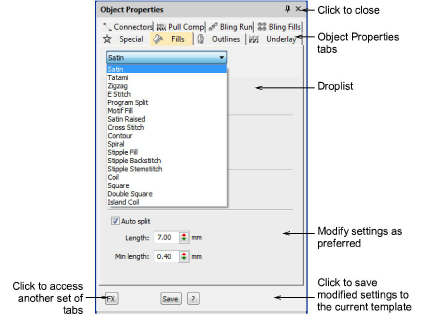
- Make any further adjustments as required.
- Click Save. Current settings are saved to the template as the new defaults.
TIP
To save more than one set of property settings to the template, save them as styles.