Edit bead runs
 | Use Bead > Bead Edit to fine-tune placement of individual beads. |
|---|
Fine-tune individual bead spacings with the Bead Edit tool. Click-and-drag a diamond control point. Hold down Shift or Ctrl keys to select a range or multiple control points.
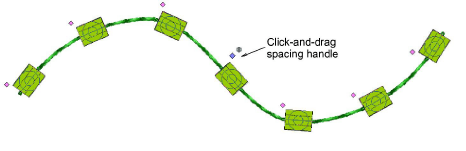
You have complete control over editing bead-run objects, from scaling to adding or removing individual beads. You can also manually fine-tune bead spacing and orienation. You can even edit individual fixing stitches.